Web3 Wallet Integration in React: A Complete Guide
Learn how to integrate Web3 wallets into your React application using Wagmi and Viem. Connect MetaMask, WalletConnect, and more with modern best practices.
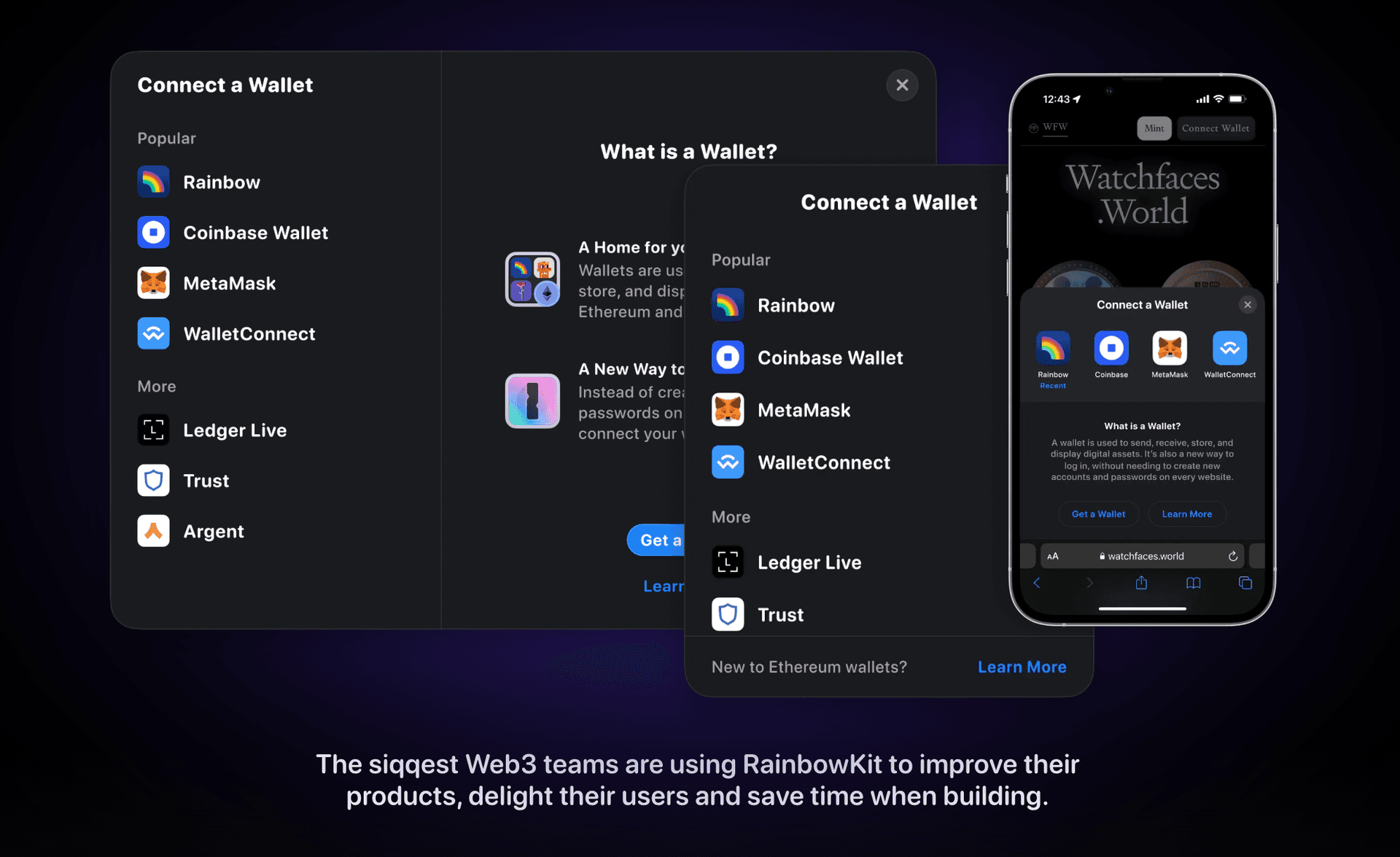
Web3 applications live or die by their wallet integration. A smooth connection experience can make the difference between a user staying or bouncing. In this guide, I'll walk you through building a production-ready wallet integration using the modern Wagmi + Viem stack.
Why Wagmi + Viem?
If you're starting a new Web3 project in 2025, Wagmi is the clear choice. Here's why:
| Library | Pros | Cons |
|---|---|---|
| Wagmi + Viem | Type-safe, React hooks, active development | Learning curve if coming from ethers |
| ethers.js | Mature, well-documented | Larger bundle, less React-native |
| web3.js | Legacy support | Outdated patterns, larger bundle |
"Wagmi provides React hooks that handle caching, request deduplication, and automatic refetching out of the box."
Setting Up Your Project
First, install the necessary dependencies:
npm install wagmi viem @tanstack/react-queryConfigure the Wagmi Client
Create a configuration file to set up your chains and connectors:
// src/config/wagmi.ts
import { http, createConfig } from 'wagmi'
import { mainnet, sepolia, polygon } from 'wagmi/chains'
import { injected, walletConnect, coinbaseWallet } from 'wagmi/connectors'

const projectId = process.env.NEXT_PUBLIC_WALLETCONNECT_ID!

export const config = createConfig({
  chains: [mainnet, sepolia, polygon],
  connectors: [
    injected(),
    walletConnect({ projectId }),
    coinbaseWallet({ appName: 'My dApp' }),
  ],
  transports: {
    [mainnet.id]: http(),
    [sepolia.id]: http(),
    [polygon.id]: http(),
  },
})
Set Up Providers
Wrap your application with the necessary providers:
// src/providers/Web3Provider.tsx
'use client'

import { WagmiProvider } from 'wagmi'
import { QueryClient, QueryClientProvider } from '@tanstack/react-query'
import { config } from '@/config/wagmi'

const queryClient = new QueryClient()

export function Web3Provider({ children }: { children: React.ReactNode }) {
  return (
    <WagmiProvider config={config}>
      <QueryClientProvider client={queryClient}>
        {children}
      </QueryClientProvider>
    </WagmiProvider>
  )
}
Building the Connect Button
Now let's create a reusable wallet connect component:
// src/components/ConnectButton.tsx
'use client'

import { useAccount, useConnect, useDisconnect } from 'wagmi'

export function ConnectButton() {
  const { address, isConnected } = useAccount()
  const { connect, connectors, isPending } = useConnect()
  const { disconnect } = useDisconnect()

  if (isConnected) {
    return (
      <div className="flex items-center gap-4">
        <span className="font-mono text-sm">
          {address?.slice(0, 6)}...{address?.slice(-4)}
        </span>
        <button
          onClick={() => disconnect()}
          className="px-4 py-2 bg-red-500 text-white rounded-lg"
        >
          Disconnect
        </button>
      </div>
    )
  }

  return (
    <div className="flex flex-col gap-2">
      {connectors.map((connector) => (
        <button
          key={connector.uid}
          onClick={() => connect({ connector })}
          disabled={isPending}
          className="px-4 py-2 bg-blue-500 text-white rounded-lg
                     disabled:opacity-50 hover:bg-blue-600"
        >
          {isPending ? 'Connecting...' : `Connect ${connector.name}`}
        </button>
      ))}
    </div>
  )
}
Handling Connection States
A production app needs to handle various states gracefully:
// src/hooks/useWalletConnection.ts
import { useAccount, useConnect, useDisconnect } from 'wagmi'
import { useEffect, useState } from 'react'

export function useWalletConnection() {
  const { address, isConnected, isConnecting, isReconnecting } = useAccount()
  const { connect, connectors, error: connectError } = useConnect()
  const { disconnect } = useDisconnect()
  const [mounted, setMounted] = useState(false)

  // Handle hydration mismatch
  useEffect(() => {
    setMounted(true)
  }, [])

  return {
    address,
    isConnected: mounted && isConnected,
    isLoading: isConnecting || isReconnecting,
    connect,
    connectors,
    disconnect,
    error: connectError,
  }
}
Reading Blockchain Data
Once connected, you'll want to read data from the blockchain:
Get Wallet Balance
import { useBalance } from 'wagmi'

function WalletBalance() {
  const { address } = useAccount()
  const { data, isLoading } = useBalance({
    address,
  })

  if (isLoading) return <span>Loading...</span>

  return (
    <span>
      {data?.formatted} {data?.symbol}
    </span>
  )
}
Read Contract Data
import { useReadContract } from 'wagmi'
import { erc20Abi } from 'viem'

function TokenBalance({ tokenAddress }: { tokenAddress: `0x${string}` }) {
  const { address } = useAccount()

  const { data: balance } = useReadContract({
    address: tokenAddress,
    abi: erc20Abi,
    functionName: 'balanceOf',
    args: [address!],
    query: {
      enabled: !!address,
    },
  })

  return <span>{balance?.toString()}</span>
}
Writing Transactions
Sending transactions requires careful state management:
// src/hooks/useContractInteraction.ts
import { useWriteContract, useWaitForTransactionReceipt } from 'wagmi'
import { parseEther } from 'viem'

const contractAbi = [
  {
    name: 'transfer',
    type: 'function',
    stateMutability: 'nonpayable',
    inputs: [
      { name: 'to', type: 'address' },
      { name: 'amount', type: 'uint256' },
    ],
    outputs: [{ type: 'bool' }],
  },
] as const

export function useTokenTransfer(contractAddress: `0x${string}`) {
  const {
    writeContract,
    data: hash,
    isPending,
    error
  } = useWriteContract()

  const { isLoading: isConfirming, isSuccess } = useWaitForTransactionReceipt({
    hash,
  })

  const transfer = async (to: `0x${string}`, amount: string) => {
    writeContract({
      address: contractAddress,
      abi: contractAbi,
      functionName: 'transfer',
      args: [to, parseEther(amount)],
    })
  }

  return {
    transfer,
    isPending,
    isConfirming,
    isSuccess,
    error,
    hash,
  }
}
Transaction Lifecycle UI
function TransferButton() {
  const { transfer, isPending, isConfirming, isSuccess, hash } = useTokenTransfer(
    '0x...'
  )

  return (
    <div>
      <button
        onClick={() => transfer('0x...', '1.0')}
        disabled={isPending || isConfirming}
      >
        {isPending ? 'Confirm in Wallet...' :
         isConfirming ? 'Processing...' :
         'Send 1 Token'}
      </button>

      {isSuccess && (
        <p className="text-green-500">
          Transaction confirmed!{' '}
          <a href={`https://etherscan.io/tx/${hash}`}>View</a>
        </p>
      )}
    </div>
  )
}
Network Handling
Users often need to switch networks. Here's how to handle it:
// src/components/NetworkSwitcher.tsx
import { useChainId, useSwitchChain } from 'wagmi'
import { mainnet, polygon, sepolia } from 'wagmi/chains'

const supportedChains = [mainnet, polygon, sepolia]

export function NetworkSwitcher() {
  const chainId = useChainId()
  const { switchChain, isPending } = useSwitchChain()

  return (
    <select
      value={chainId}
      onChange={(e) => switchChain({ chainId: Number(e.target.value) })}
      disabled={isPending}
      className="px-3 py-2 border rounded-lg"
    >
      {supportedChains.map((chain) => (
        <option key={chain.id} value={chain.id}>
          {chain.name}
        </option>
      ))}
    </select>
  )
}
Unsupported Network Warning
import { useChainId } from 'wagmi'

const SUPPORTED_CHAIN_IDS = [1, 137, 11155111]

function NetworkWarning() {
  const chainId = useChainId()

  if (SUPPORTED_CHAIN_IDS.includes(chainId)) {
    return null
  }

  return (
    <div className="bg-yellow-100 border-l-4 border-yellow-500 p-4">
      <p className="text-yellow-700">
        Please switch to a supported network (Ethereum, Polygon, or Sepolia)
      </p>
    </div>
  )
}
Best Practices
Error Handling
Always provide clear feedback when things go wrong:
function ErrorDisplay({ error }: { error: Error | null }) {
  if (!error) return null

  // Parse common wallet errors
  let message = 'An error occurred'

  if (error.message.includes('User rejected')) {
    message = 'Transaction was cancelled'
  } else if (error.message.includes('insufficient funds')) {
    message = 'Insufficient funds for this transaction'
  } else if (error.message.includes('nonce')) {
    message = 'Transaction nonce error. Please reset your wallet.'
  }

  return (
    <div className="bg-red-100 border border-red-400 text-red-700 px-4 py-3 rounded">
      {message}
    </div>
  )
}
Loading States
Keep users informed during async operations:
function TransactionStatus({
  isPending,
  isConfirming
}: {
  isPending: boolean
  isConfirming: boolean
}) {
  if (isPending) {
    return (
      <div className="flex items-center gap-2">
        <Spinner />
        <span>Please confirm in your wallet...</span>
      </div>
    )
  }

  if (isConfirming) {
    return (
      <div className="flex items-center gap-2">
        <Spinner />
        <span>Waiting for confirmation...</span>
      </div>
    )
  }

  return null
}
Mobile Deep Links
For mobile users, ensure wallet apps can be opened:
import { useConnect } from 'wagmi'

function MobileConnectButton() {
  const { connect, connectors } = useConnect()

  const walletConnect = connectors.find(c => c.id === 'walletConnect')

  return (
    <button
      onClick={() => walletConnect && connect({ connector: walletConnect })}
      className="w-full px-4 py-3 bg-blue-500 text-white rounded-lg"
    >
      Connect Mobile Wallet
    </button>
  )
}
Production Checklist
Before deploying your dApp, ensure you've covered:
- Environment variables - Never expose private keys or sensitive data
- Error boundaries - Catch and handle React errors gracefully
- Network validation - Always check if user is on correct network
- Transaction confirmation - Wait for adequate block confirmations
- Reconnection logic - Handle page refreshes and session persistence
- Mobile testing - Test with actual mobile wallets
- Loading states - Show feedback for all async operations
- Gas estimation - Provide gas estimates before transactions
Conclusion
Wallet integration is the gateway to your Web3 application. By using Wagmi's React hooks, you get a type-safe, well-tested foundation that handles the complexities of blockchain interaction.
The patterns shown here will scale from simple dApps to complex DeFi protocols. Start with the basics, then layer on features like multi-chain support and advanced transaction management as your application grows.
In future posts, I'll cover topics like gas optimization and building your own DEX. Stay tuned!
Resources
- Wagmi Documentation
- Viem Documentation
- WalletConnect Cloud (for project IDs)
- Rainbow Kit (pre-built UI components)
Nawab Khairuzzaman
Full-Stack Web & Blockchain Developer with 6+ years of experience building scalable applications.