Pouch
Self-custodial crypto wallet with multi-chain support, Uniswap V3 swaps, and WalletConnect integration.
Tech Stack
Overview
Pouch is a self-custodial mobile crypto wallet built from scratch with React Native and Expo. It supports multiple EVM-compatible blockchain networks, enables decentralized token swaps via Uniswap V3, and connects to dApps through WalletConnect v2. The app features bank-grade security with AES-256 encryption, biometric authentication, and a 6-digit PIN system.
The Problem
Existing mobile wallets like MetaMask and Trust Wallet are feature-rich but bloated, slow, and often confusing for users. I wanted to build a wallet that:
- Feels native: Smooth animations, instant transitions, and a design that feels like it belongs on iOS
- Prioritizes security: Self-custodial with no compromises on key management
- Supports DeFi natively: Swap tokens directly without leaving the app
- Keeps it simple: Only the features that matter, executed well
Wallet Setup Flow
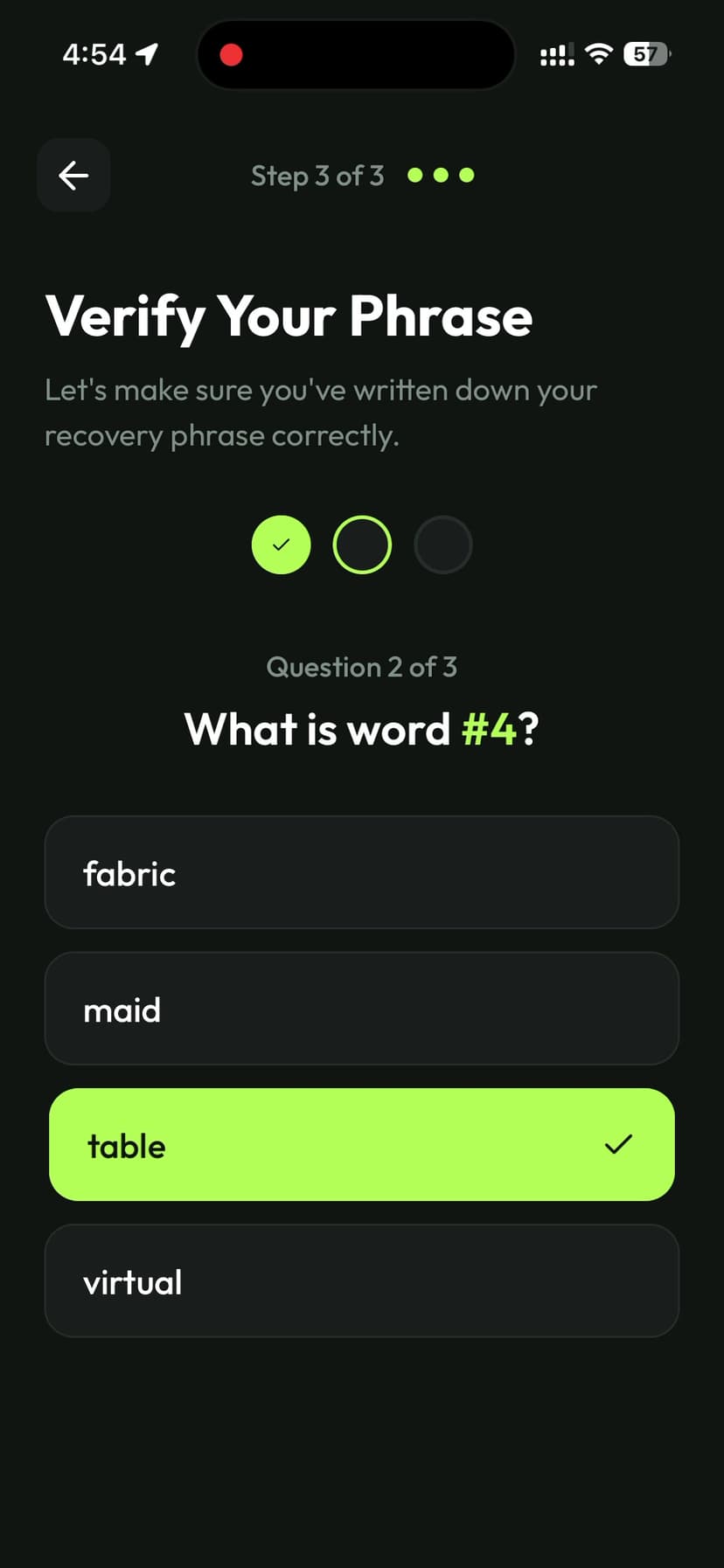
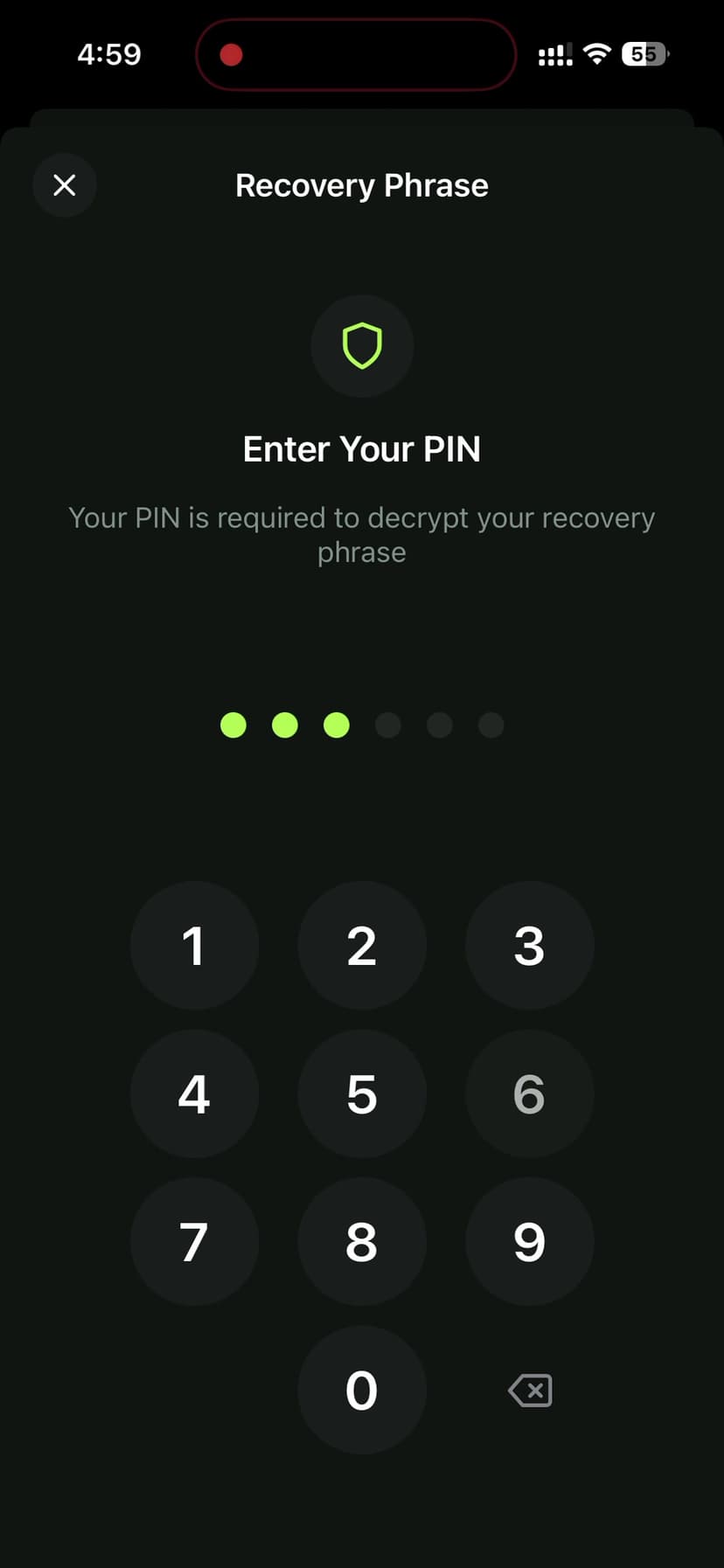
The onboarding experience guides users through creating or importing a wallet in three steps: generate a BIP-39 recovery phrase, verify the backup through a randomized quiz, and set a 6-digit PIN that encrypts private keys with AES-256-GCM.
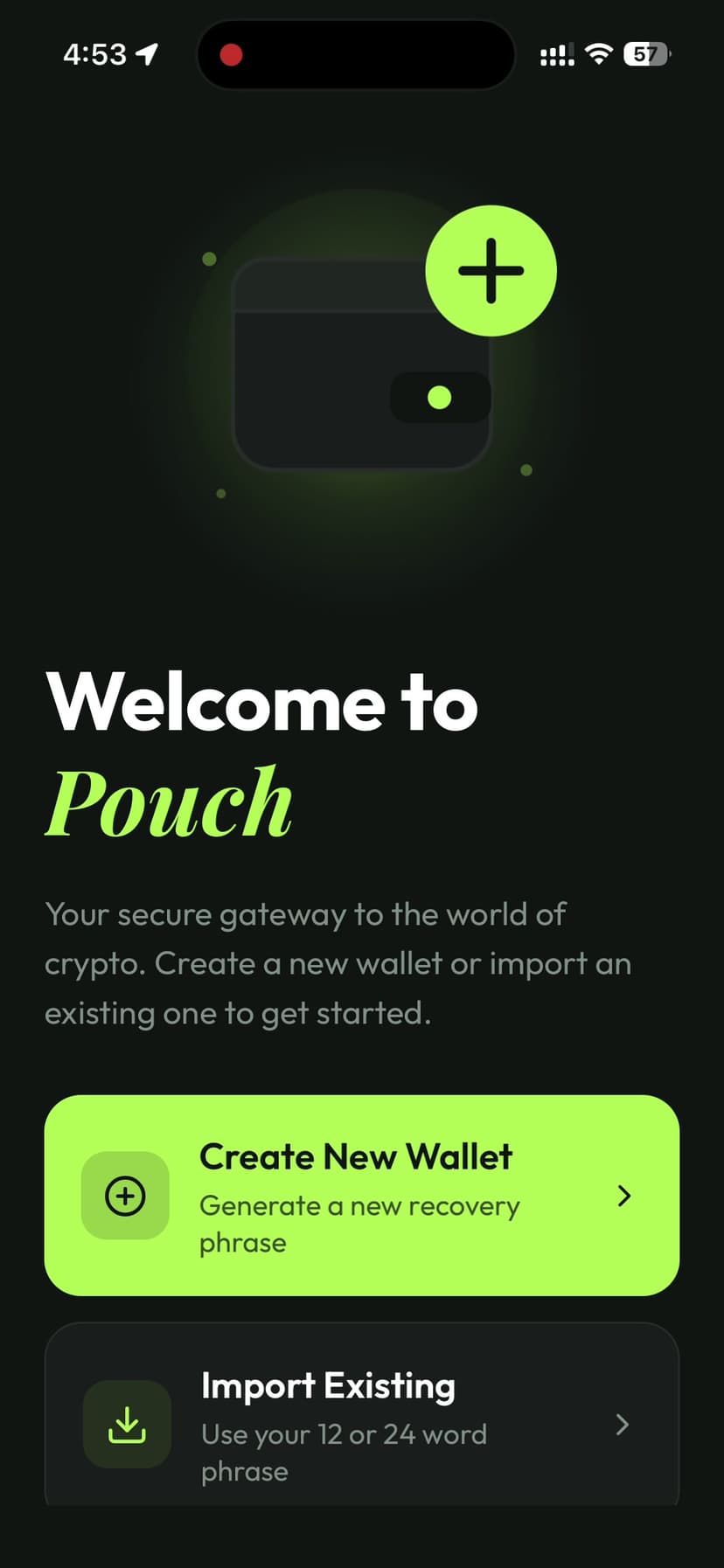
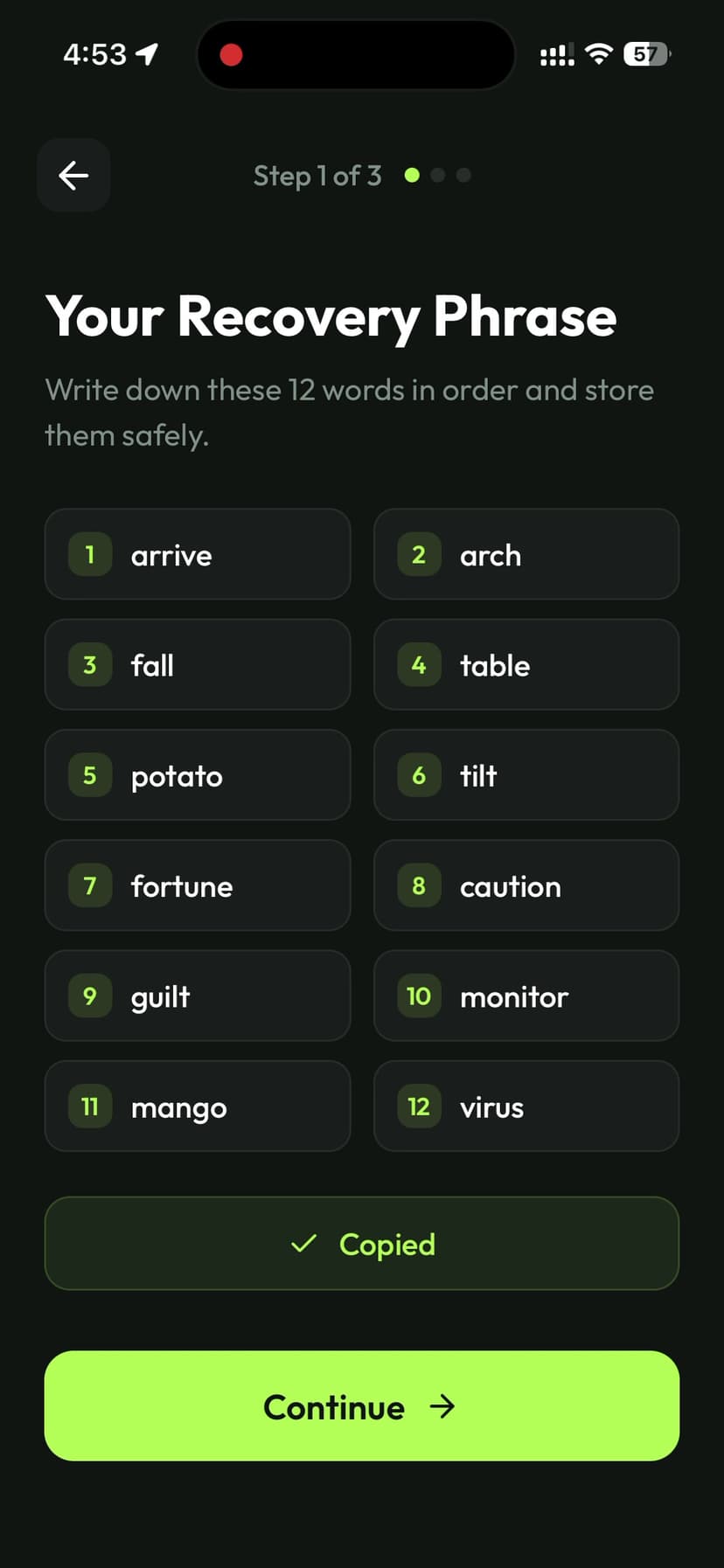
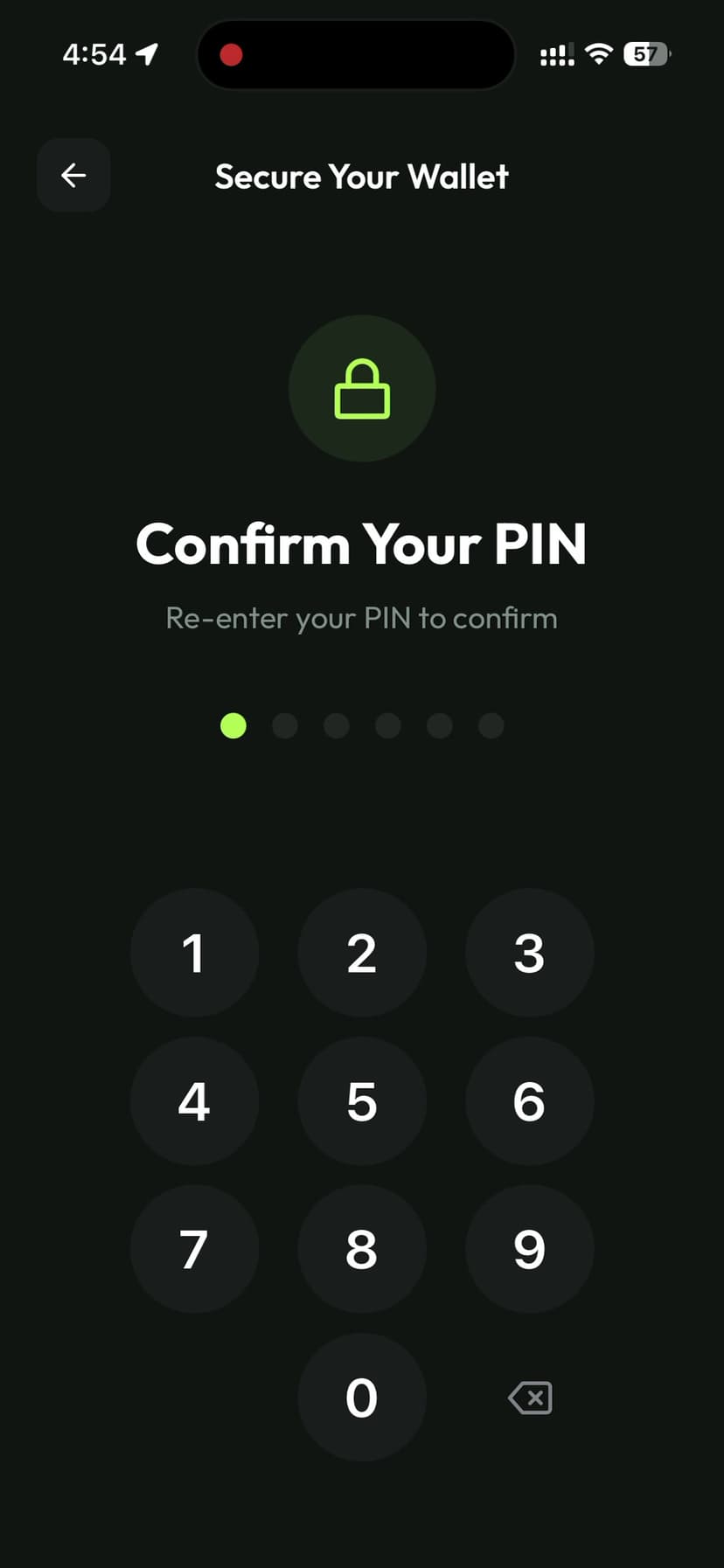
The recovery phrase is generated locally and never transmitted over the network. During verification, users answer randomized multiple-choice questions to prove they've backed up their phrase correctly.
Home Dashboard
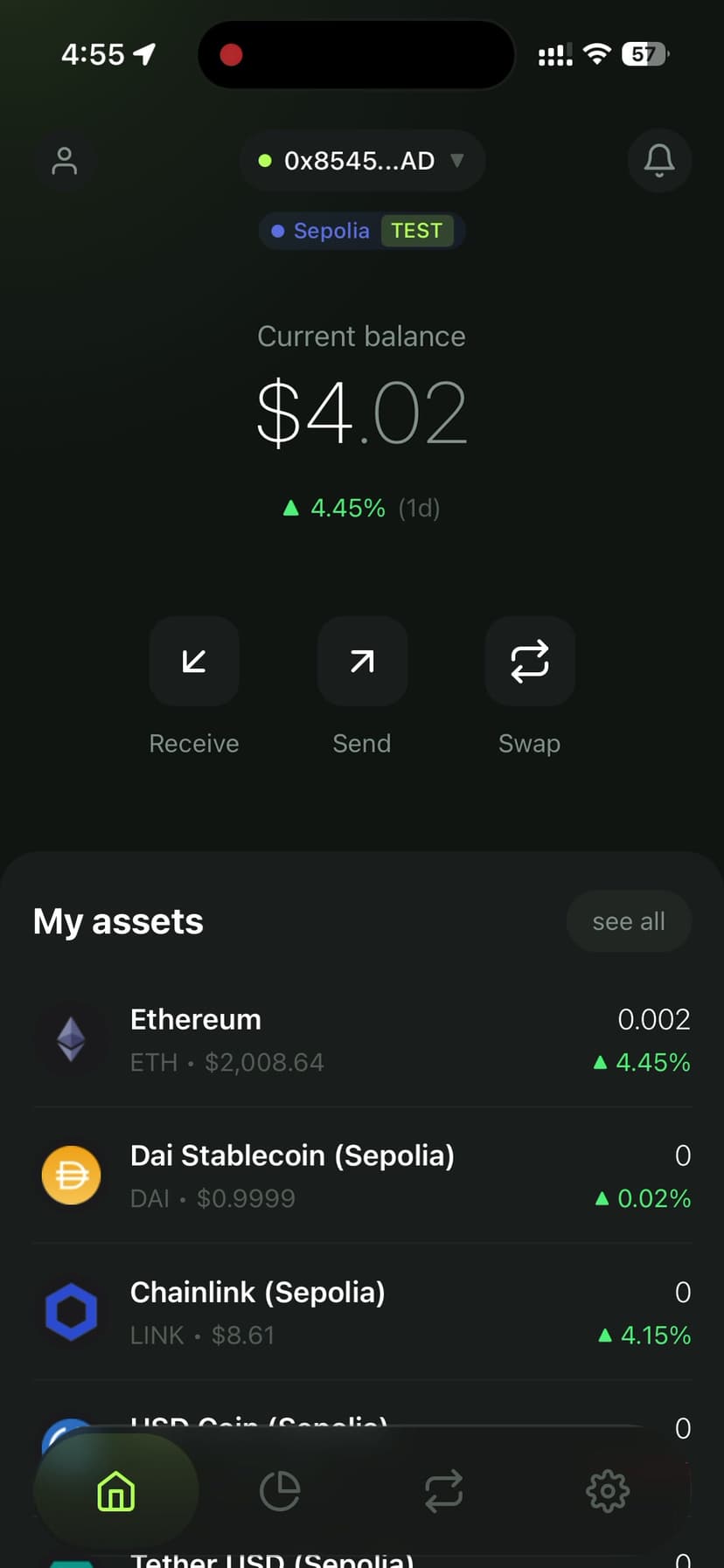
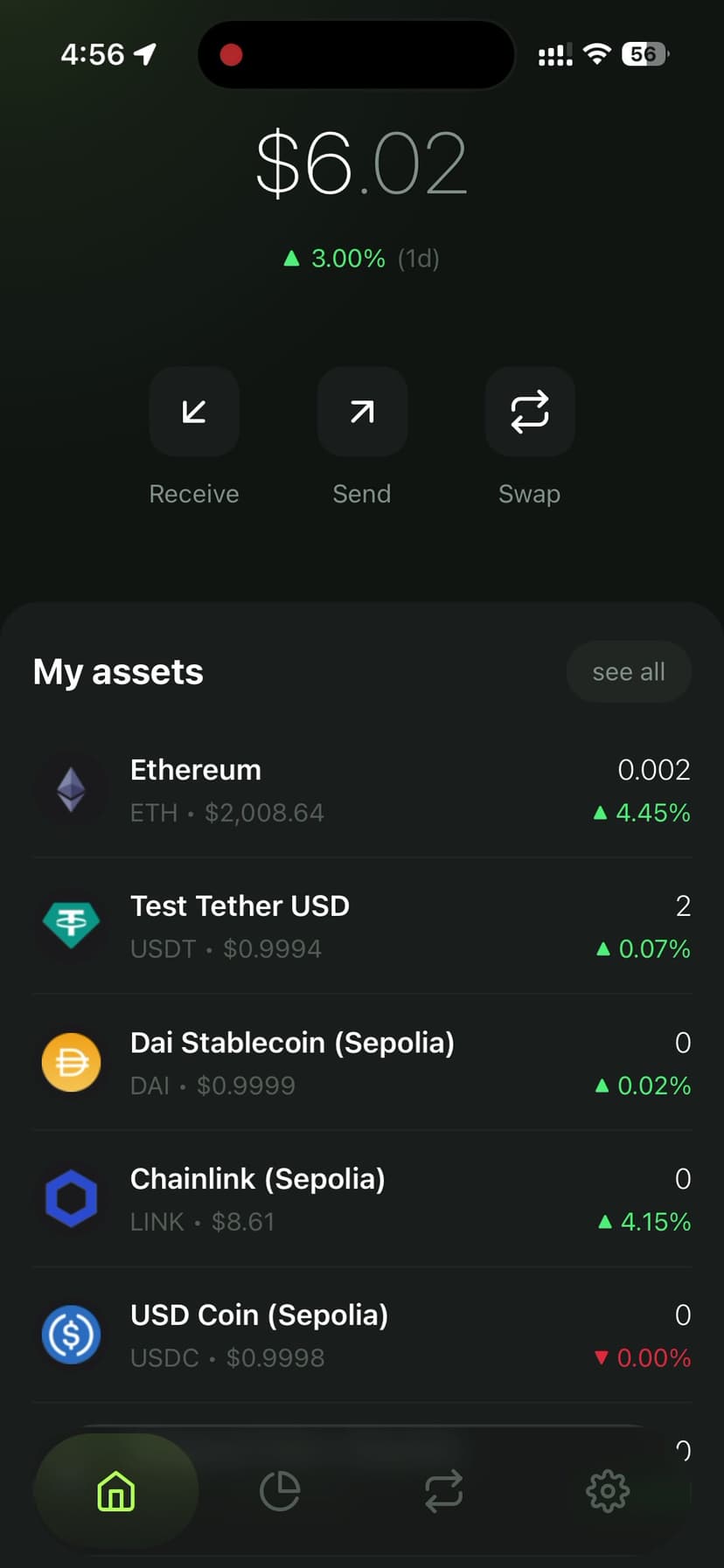
The main dashboard displays the total portfolio value, quick actions (Receive, Send, Swap), and a scrollable list of all tokens with real-time prices from CoinGecko. The token list automatically discovers ERC-20 tokens via Alchemy's token detection API, showing current price and 24-hour change for each asset.
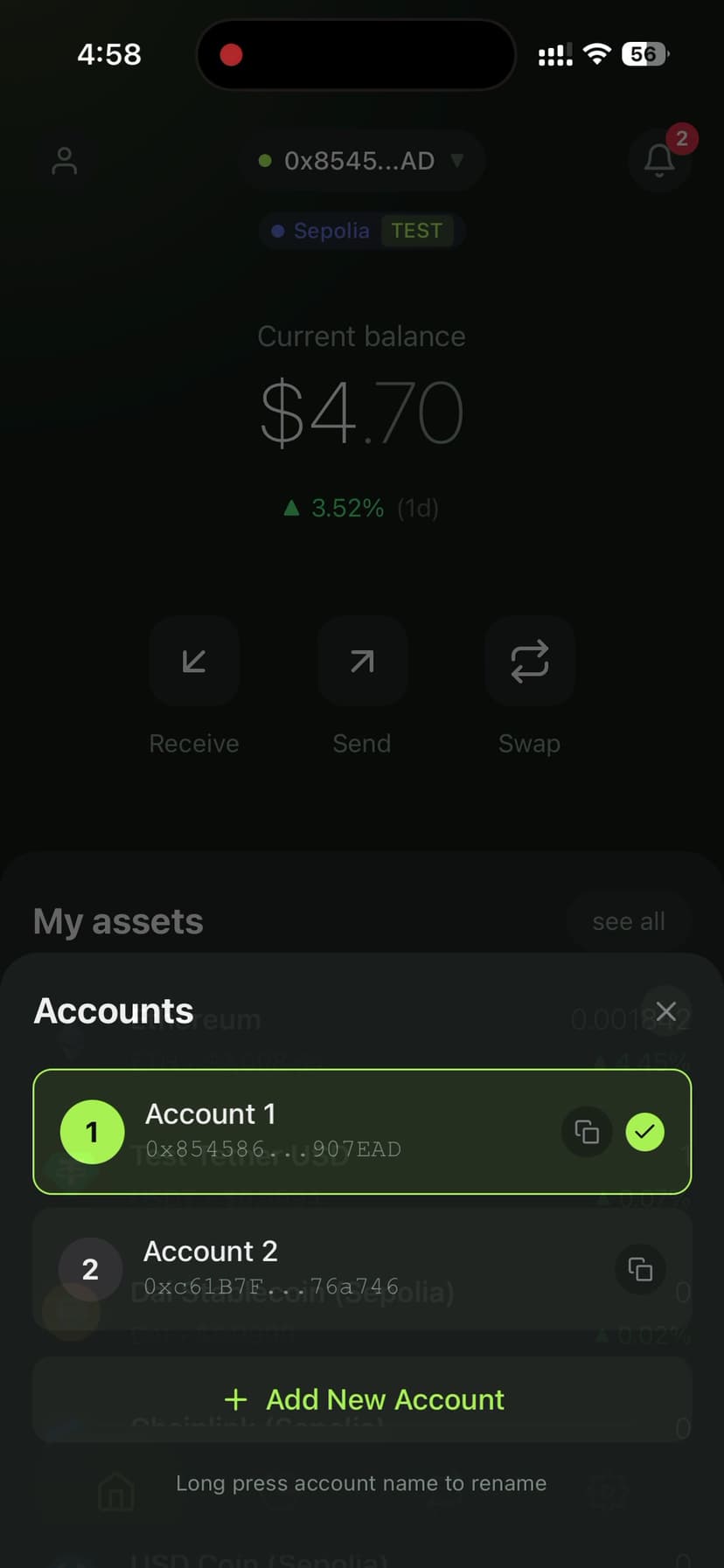
Pouch supports HD wallet derivation (BIP-44) for creating multiple accounts from a single recovery phrase. The account switcher bottom sheet lets users quickly switch between accounts and import external wallets.
Send & Receive
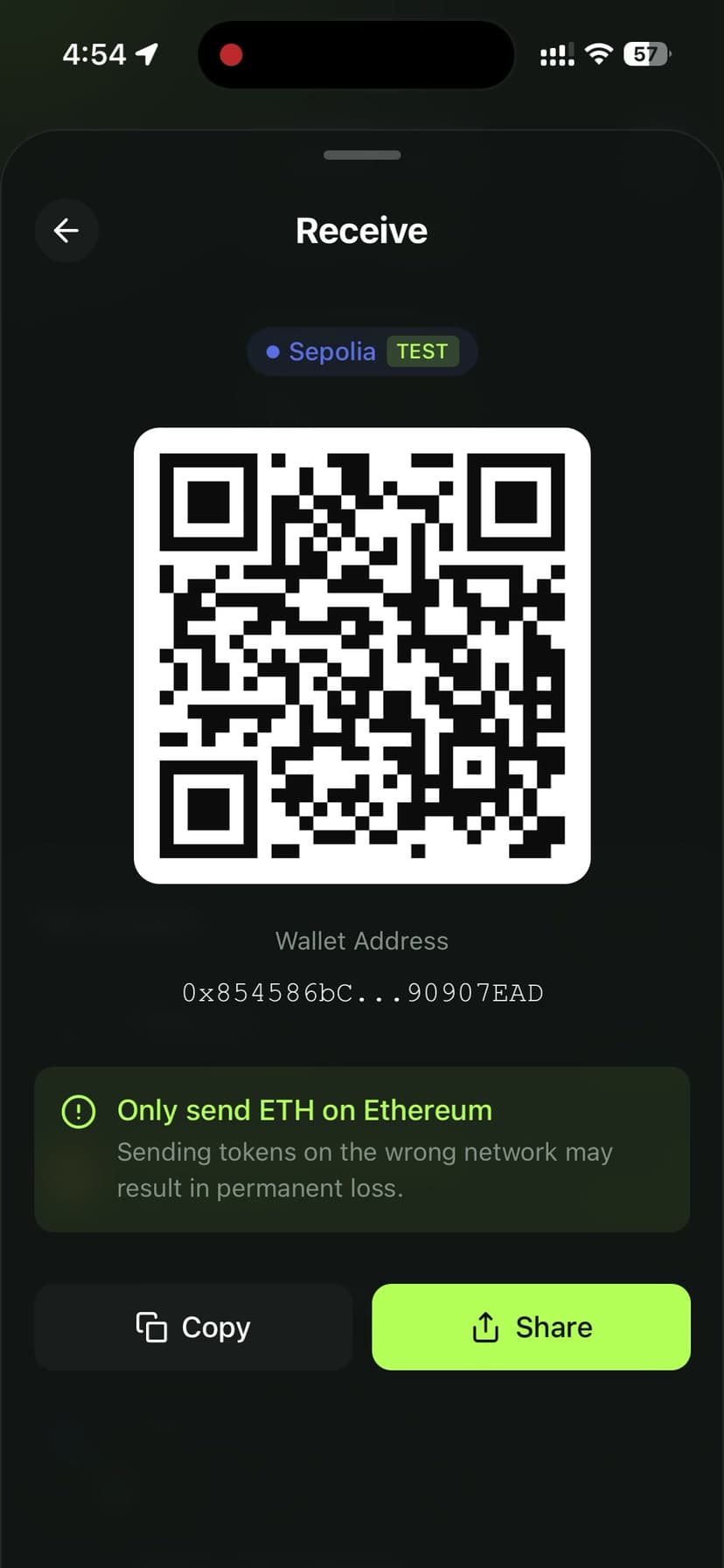
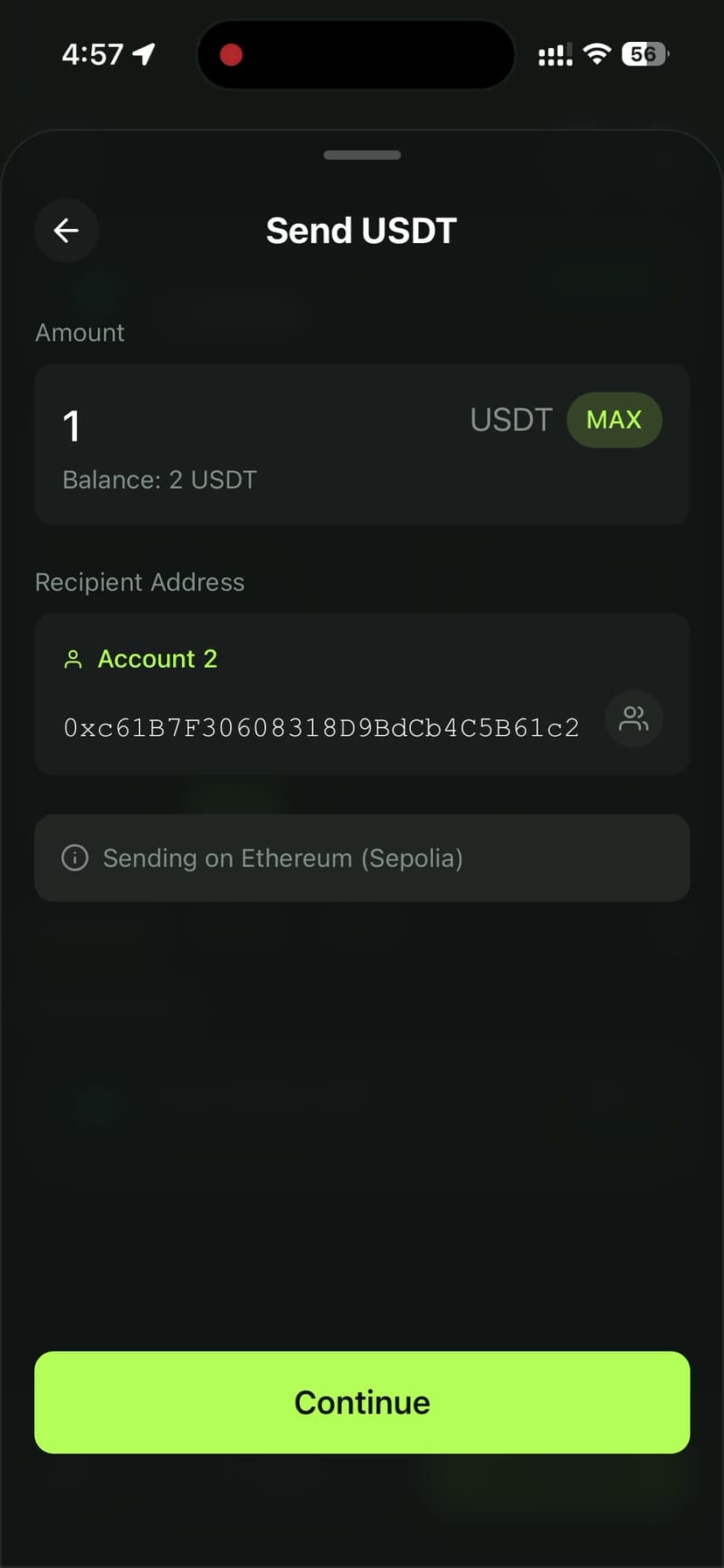
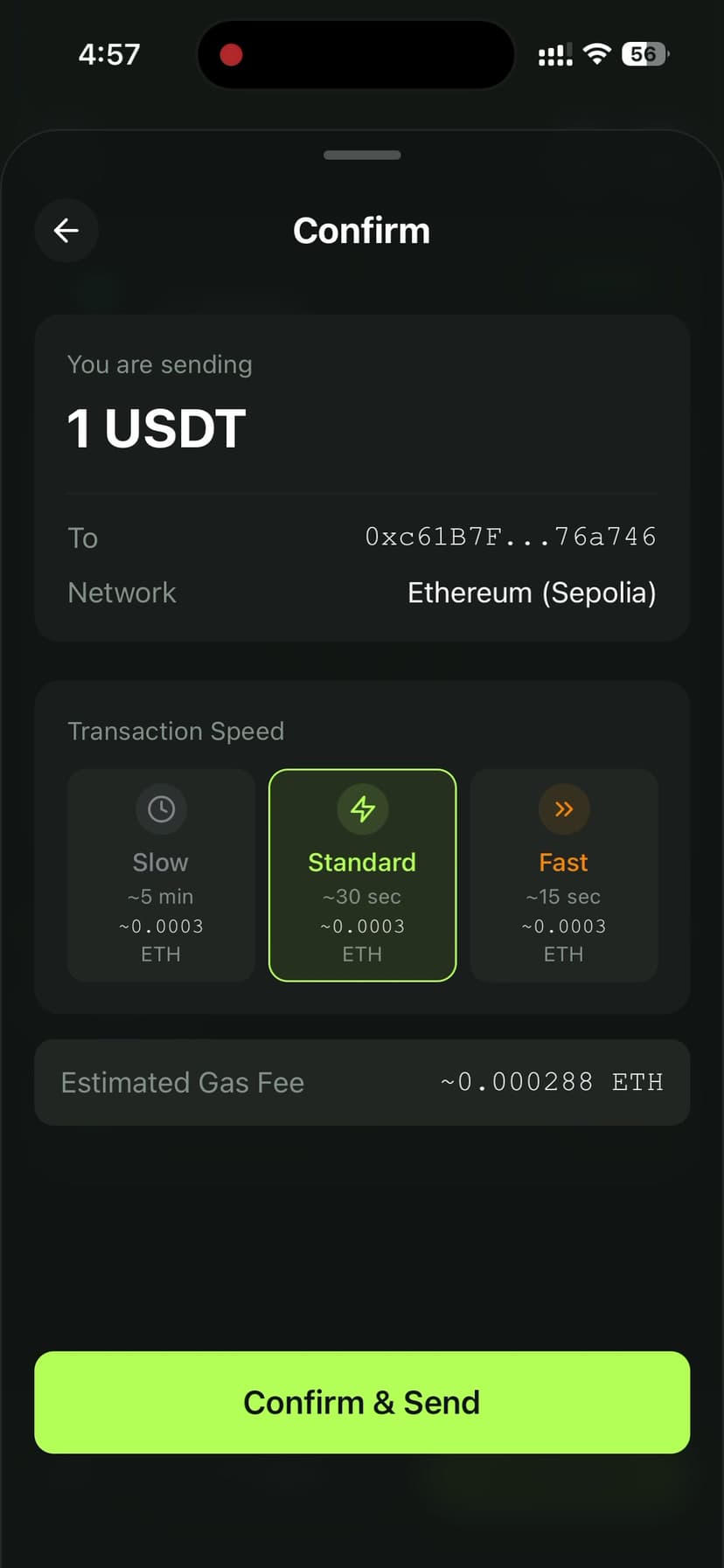
The receive screen generates a QR code with network-aware warnings to prevent cross-chain errors. Sending follows a multi-step flow: select recipient from the address book, enter the amount with quick percentage shortcuts (25%, 50%, 75%, Max), then review transaction details including gas fees and confirmation speed before signing.
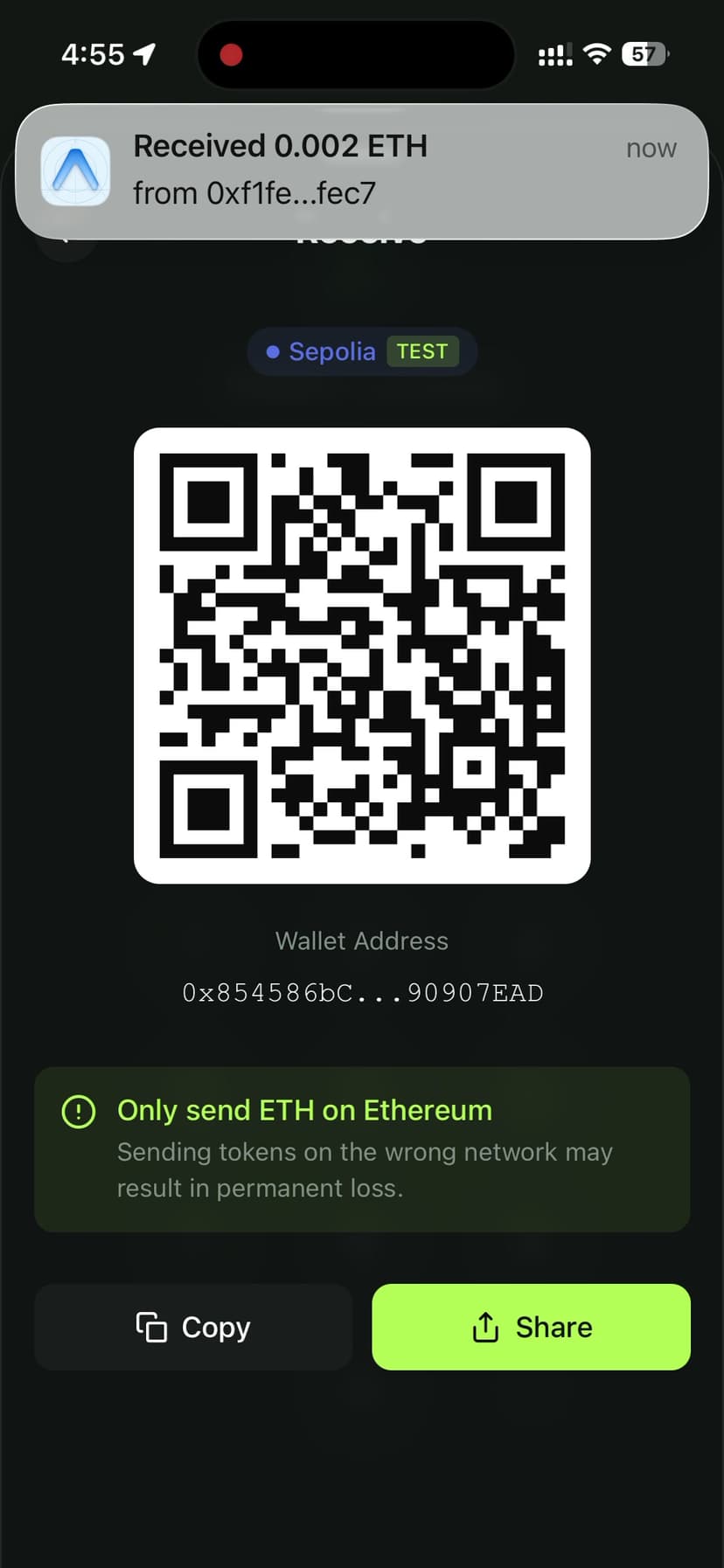
Real-time Notifications & Asset Tracking
Push notifications alert users instantly when tokens are received. Tapping any token opens a detailed view with interactive price charts (1D, 1W, 1M, 1Y, ALL), holdings breakdown, and quick Send/Receive actions.
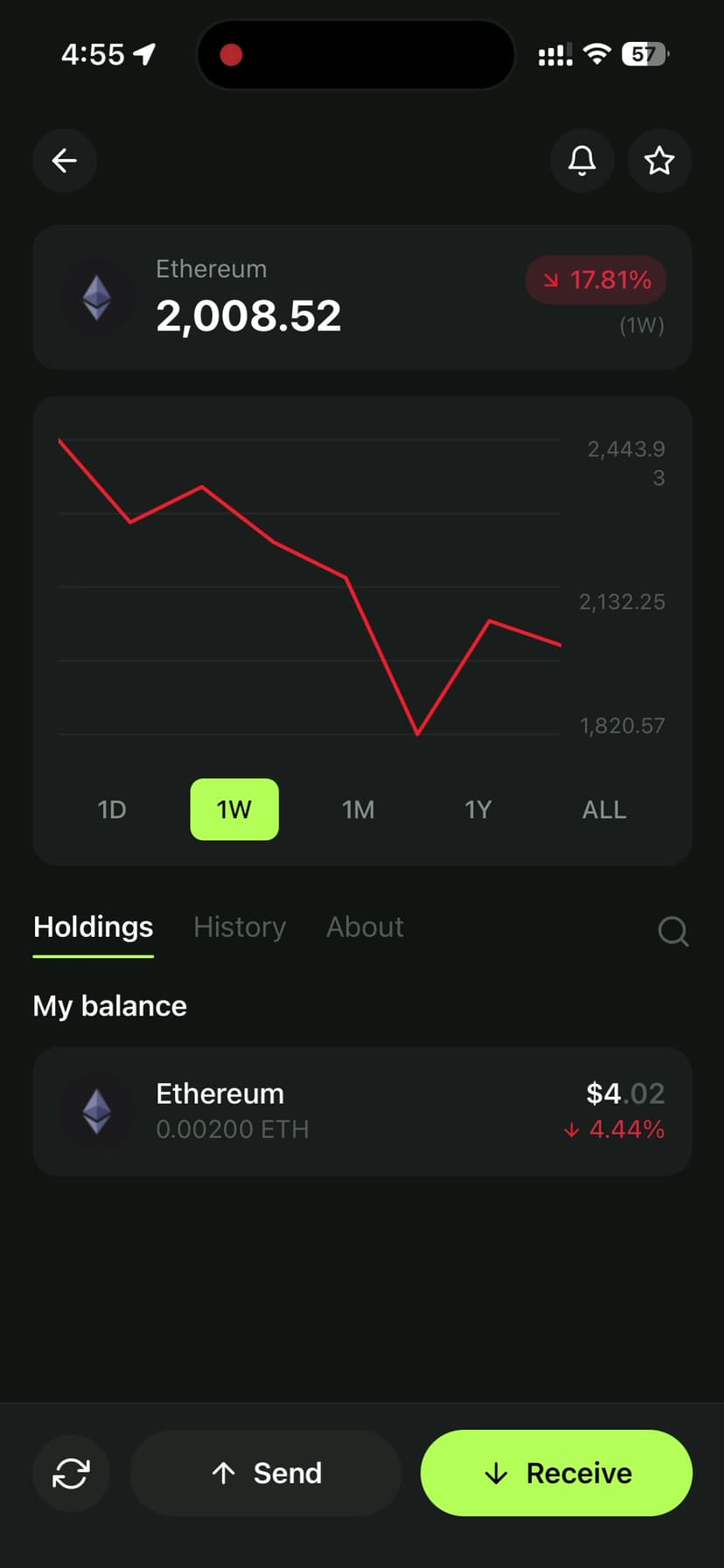
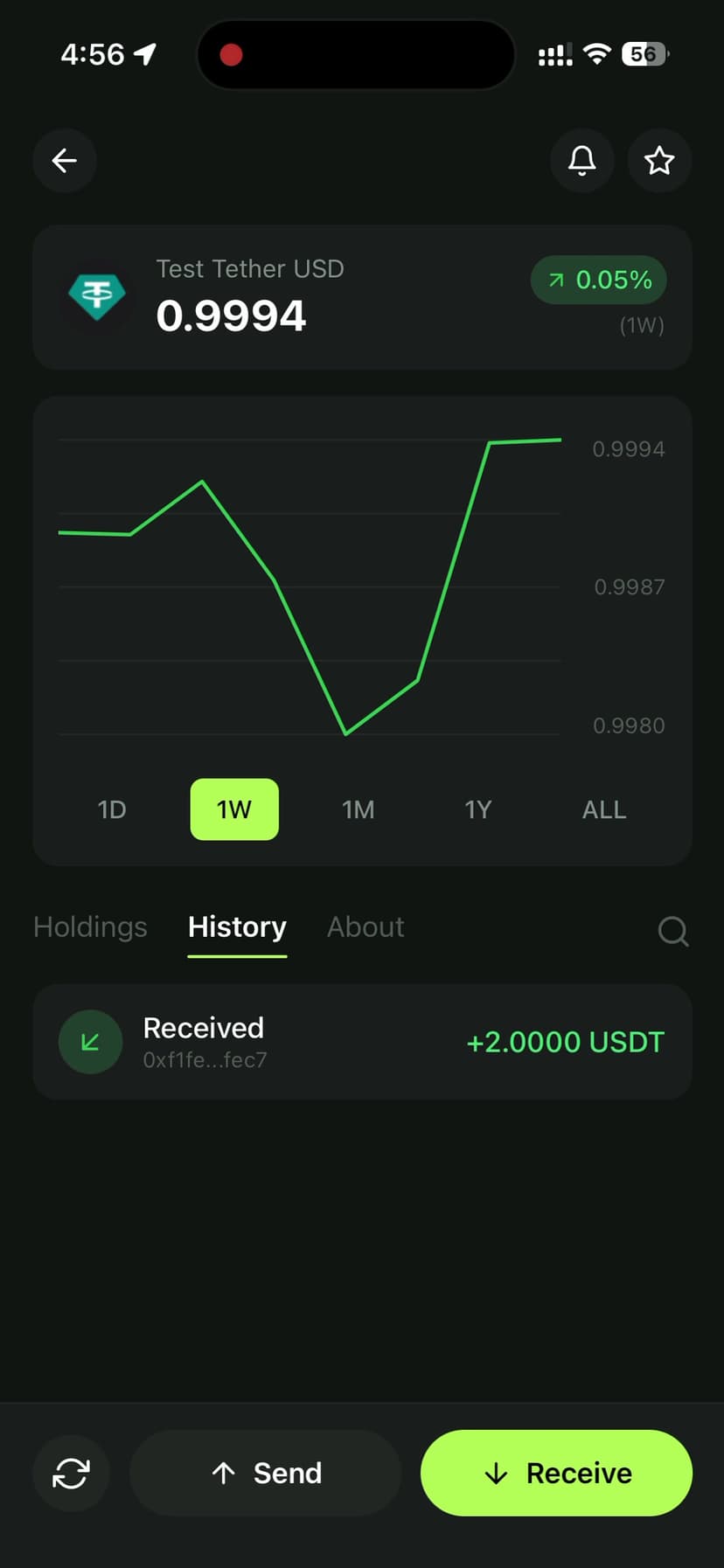
The Activity screen shows a complete transaction history organized by date. Each transaction displays type, amount, and confirmation status. Pending transactions include Speed Up and Cancel options for gas price adjustments.
Token Swaps via Uniswap V3
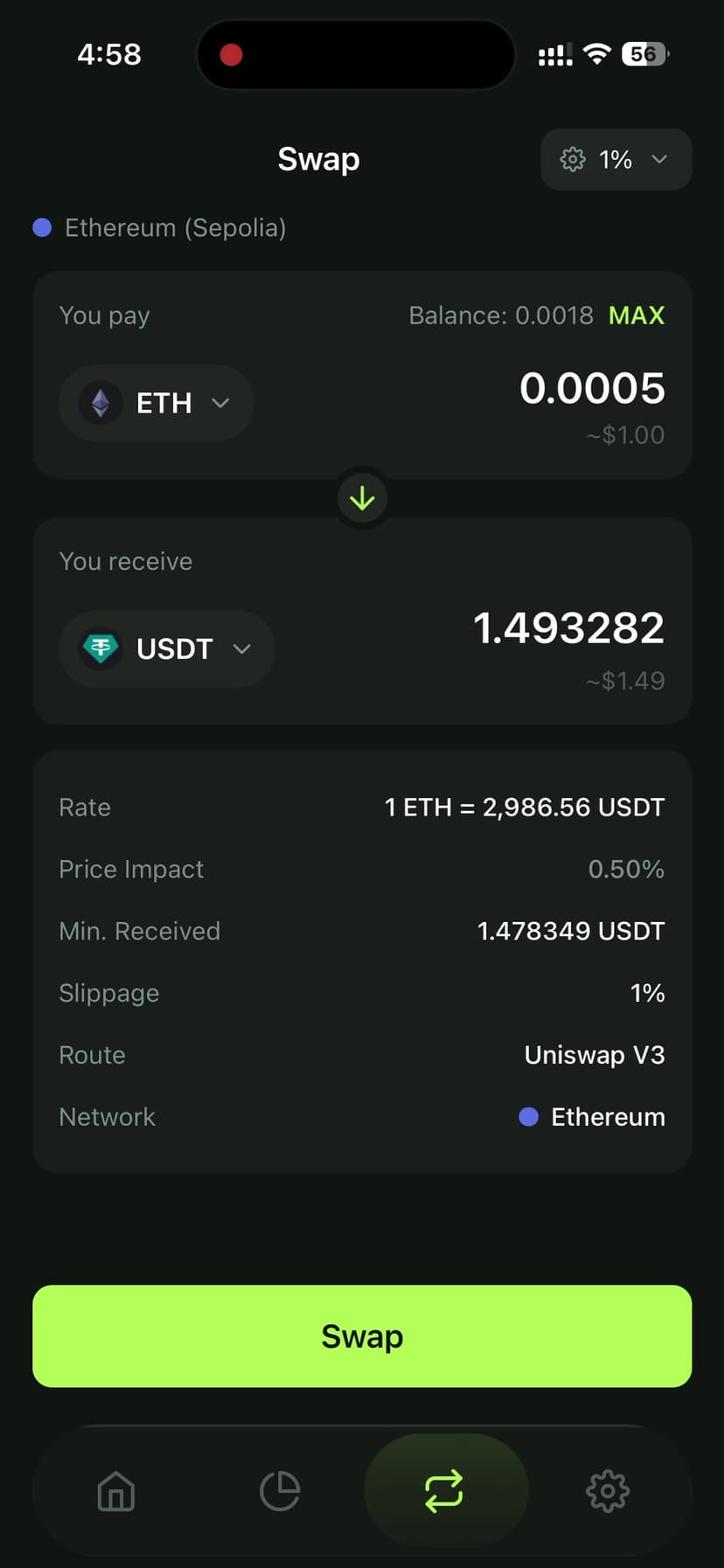
I integrated Uniswap V3 for decentralized token swaps directly within the app. The swap interface shows real-time quotes, price impact, minimum received amount, slippage tolerance, and the routing path — all powered by on-chain liquidity.
Settings & Security
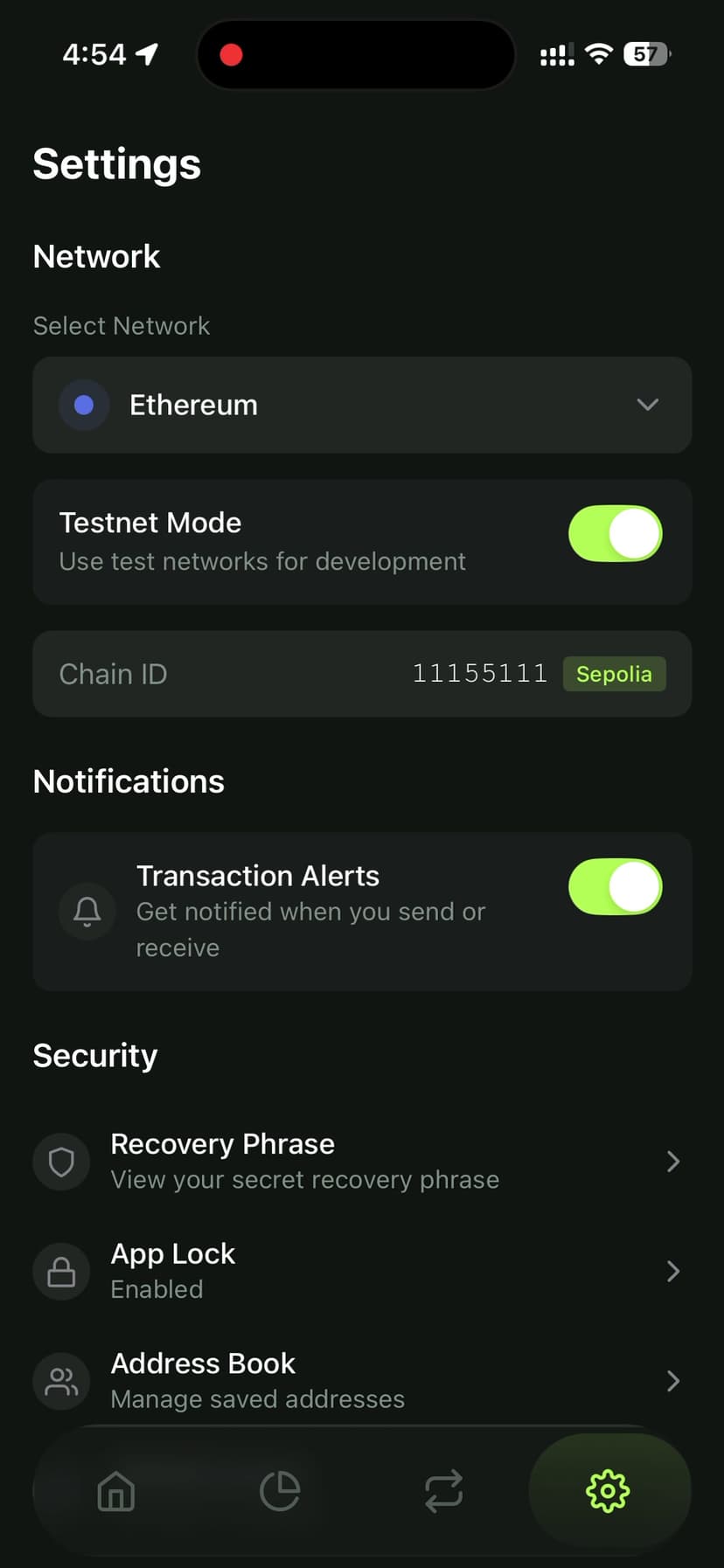
The Settings screen provides full control over network selection (Ethereum, Polygon, Arbitrum, Optimism, Base), testnet mode toggle, transaction alerts, and security features including recovery phrase backup, app lock configuration, address book management, and WalletConnect dApp connections.
Technical Architecture
┌─────────────────────────────────────────────┐
│           UI Layer (Expo Router)            │
│  Screens, Components, Animations           │
└─────────────┬───────────────────────────────┘
              │
┌─────────────▼───────────────────────────────┐
│       State Management (React Context)     │
│  Auth, Wallet, Network, WalletConnect      │
│  18+ custom hooks                          │
└─────────────┬───────────────────────────────┘
              │
┌─────────────▼───────────────────────────────┐
│           Services Layer                   │
│  Alchemy · ethers.js · Uniswap V3         │
│  CoinGecko · WalletConnect · Notifications │
└─────────────┬───────────────────────────────┘
              │
┌─────────────▼───────────────────────────────┐
│           Encrypted Storage                │
│  SecureStore (AES-256) · AsyncStorage      │
└─────────────────────────────────────────────┘
Key Design Decisions
- Expo SDK 54 with custom dev client for native module access while keeping the Expo ecosystem benefits
- React Context + Hooks over Redux for simpler state management suited to the wallet's data flow
- ethers.js 6 as the core blockchain library for its TypeScript-first design and smaller bundle size
- Alchemy SDK for reliable RPC, token detection, and transaction history without running our own nodes
- expo-secure-store with AES-256-GCM for encrypting mnemonics and private keys at rest
Results
- 5 EVM networks supported (Ethereum, Polygon, Arbitrum, Optimism, Base)
- Uniswap V3 integration for trustless on-chain swaps
- WalletConnect v2 for dApp connectivity
- AES-256-GCM encryption with biometric + PIN authentication
- Real-time price tracking and push notifications
- Sub-second UI transitions with React Native Reanimated
Technologies Used
- Framework: React Native, Expo SDK 54, TypeScript
- Blockchain: ethers.js 6, Alchemy SDK, Uniswap V3
- Security: AES-256-GCM, expo-secure-store, expo-local-authentication
- State: React Context, 18+ custom hooks
- UI: NativeWind (Tailwind CSS), Reanimated 4, Gesture Handler
- Connectivity: WalletConnect v2, CoinGecko API
- Notifications: expo-notifications